
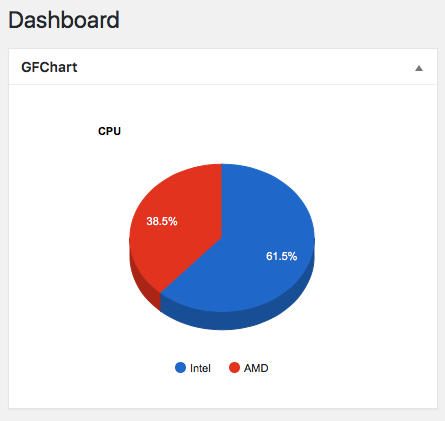
We are occasionally asked how to insert a chart onto the WordPress dashboard. For developers here is some example code (not guaranteed to work, and not supported by our help desk). This requires GFChart v1.4.0 or later.
add_action('init','br_gfcdash');
function br_gfcdash(){
// Add a widget to the dashboard
function gfcbr_add_dashboard_widgets() {
wp_add_dashboard_widget(
'gfchart_dashboard_widget', // Widget slug.
'GFChart', // Title.
'gfcbr_dashboard_widget_function' // Display function.
);
}
add_action( 'wp_dashboard_setup', 'gfcbr_add_dashboard_widgets' );
// Output the contents of dashboard widget
function gfcbr_dashboard_widget_function() {
// Display whatever it is you want to show.
echo do_shortcode('');
// Note: replace 1643 with your own id
}
}
What is GFChart?
GFChart is a simple yet powerful plugin that displays data collected via Gravity Forms within a WordPress page, post, widget, email or PDF.